Digital Declutter in 2026: Reclaim Your Focus
A calm, practical guide to digital decluttering in 2026 — clear your phone, tame notifications, and rebuild focus without giving up the tools you rely on.

TL;DR: A digital declutter in 2026 is not about quitting technology — it is about keeping the tools that earn their place and quieting everything else. Start with your phone's home screen, cut notifications hard, unsubscribe from what you no longer read, and set a light monthly review. Most people feel calmer within a week, and focus returns without any dramatic detox.
Our phones have quietly become the busiest rooms in our lives. Between work chats, streaming, banking, deliveries, and social feeds, the average person now touches more apps in a morning than they used to in a week. A digital declutter is the small, deliberate reset that pulls the volume back down — and it is one of the highest-return lifestyle habits we can recommend for 2026.
Why digital clutter feels heavier in 2026
Two things have shifted since the last time most of us tidied our devices. First, AI assistants are now embedded in nearly every app, which means more prompts, more suggestions, and more small decisions competing for attention. Second, the line between work and personal tech has blurred further, with many of us carrying five or more communication channels on a single device.
The result is a quiet, low-grade fatigue that does not always feel like a technology problem. It shows up as poor sleep, scattered attention, or the sense that a day disappeared without much to show for it. Digital clutter rarely announces itself — it just steadily raises the cost of doing anything.
What a digital declutter actually is
We think of digital decluttering as three linked jobs:
- Reduce inputs — fewer notifications, fewer feeds, fewer newsletters.
- Simplify surfaces — cleaner home screen, cleaner inbox, cleaner desktop.
- Reclaim time — replace passive scrolling with something you actually chose.
You do not need a weekend retreat or a special app to do this. You need about three hours, a willingness to be a little ruthless, and a clear picture of what you want your daily experience to feel like.
Step 1: Audit before you delete
Before touching anything, spend ten minutes writing down how you actually want your phone and laptop to serve you. For most of us the list is short: stay in touch with people we love, do focused work, navigate, listen to things, take photos, handle money. Almost everything else is optional.
Then open your phone's screen time or digital wellbeing report. Do not judge the numbers — just notice which three apps take the most time and which ones you barely open. That is your working shortlist.
Questions worth asking about each app
- Did I open this because I chose to, or because it pinged me?
- How do I usually feel in the two minutes after closing it?
- Would I miss it if it lived only on my laptop?
- Is there a lighter, calmer way to get the same value?
Step 2: Rebuild your phone from the home screen out
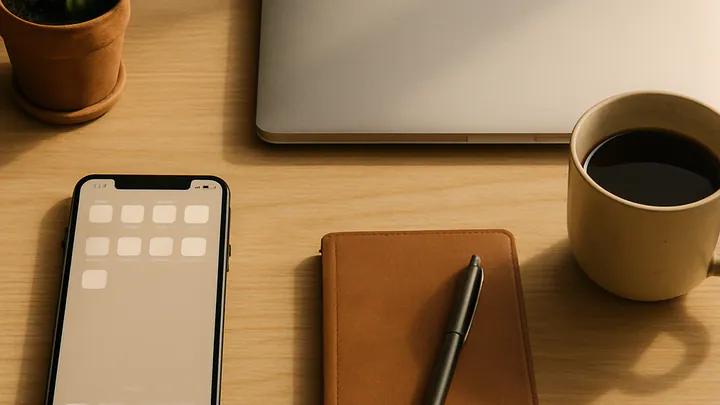
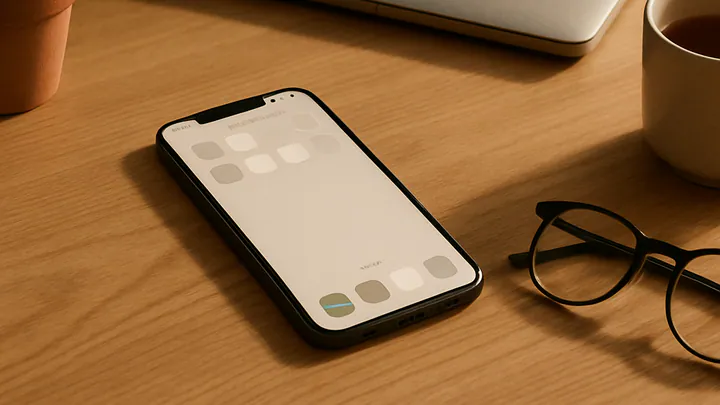
Your home screen is the front door of your digital life, and it teaches your thumbs where to go. A cluttered home screen almost guarantees compulsive checking, because your eye keeps finding new things to tap.
We recommend a simple layout:
- Keep only six to eight apps on the first screen — the ones you genuinely use every day, like messages, maps, camera, calendar, and your main work tool.
- Move everything else to a second screen or into the app library or drawer.
- Remove social apps, news apps, and shopping apps from the first screen entirely. Access them by searching, which adds just enough friction to break the reflex.
- Turn your wallpaper to something plain. Busy wallpapers make cluttered screens feel even louder.
This one change is often the single biggest win of the whole process. Many people report a noticeably calmer relationship with their phone within a day.
Step 3: Do the notification cut
Notifications are the loudest form of digital clutter, and most of them were never earned. As a default, we suggest turning off all notifications and then re-enabling only three categories:
- Direct human contact — calls, texts, and messaging apps from people you actually know.
- Time-critical alerts — calendar events, delivery arrivals, banking security prompts.
- Anything safety-related — weather warnings, family location alerts.
Everything else — social apps, games, news, shopping, most productivity tools — does not need to interrupt you. You will still see it when you open the app on your own terms. That distinction, between pull and push, is the heart of digital decluttering.
Step 4: Tidy the inbox and the feeds
Email is where digital clutter compounds the fastest. Rather than trying to reach zero, we prefer a lighter goal: reduce the volume of incoming mail so that what remains is worth reading.
Over the next week, whenever a promotional or newsletter email arrives, do one of three things: unsubscribe, mark as spam, or add a filter so it skips the inbox. Within a couple of weeks the flow drops dramatically. The same principle applies to social feeds — unfollow generously. You are not rejecting people; you are curating a room.
Step 5: Sort the files and the accounts
Digital clutter is not only about attention. It is also about the quiet sprawl of files, photos, and old accounts. A short session here pays off for years.
- Empty your desktop into a single dated folder, then sort only what you still need.
- Delete obvious duplicates in your photo library and back up the rest.
- List the paid subscriptions on your card statement and cancel the ones you cannot remember using in the last two months.
- Close old accounts you no longer use, especially any that store payment details.
This step also quietly improves your security. Fewer accounts and fewer stored cards mean less exposure if a service is breached.
Step 6: Design what fills the space
The most common reason digital declutters fail is that people remove the noise but do not replace it. The phone still comes out of the pocket — it just finds new ways to be used.
Decide, in advance, what you would like the reclaimed minutes to become. A short walk after lunch. Ten pages of a book before bed. A real phone call to a friend on Sundays. Even something small, when it is chosen rather than defaulted into, changes how a day feels.
Keeping it clean without becoming obsessive
Digital clutter rebuilds quietly, so a light maintenance rhythm matters more than a perfect system. We suggest:
- Weekly: clear the desktop, empty the downloads folder, delete screenshots you no longer need.
- Monthly: scan your home screen and remove any app you did not open in the last month.
- Seasonally: review subscriptions, unsubscribe from newsletters that have gone stale, and revisit which notifications are earning their place.
None of this needs to be strict. The point is a general drift toward calmer, not an audit that becomes its own source of stress.
Key takeaways
- Digital decluttering is about keeping what serves you and quieting the rest, not quitting technology.
- Start with your home screen and notifications — these two changes deliver the biggest calm-per-minute return.
- Unsubscribe generously from newsletters and social feeds; curation beats willpower.
- Cancel unused subscriptions and close old accounts to reduce sprawl and improve security.
- Plan what fills the reclaimed time, or the phone quietly refills it for you.
- Light monthly and seasonal reviews keep clutter from rebuilding without becoming another chore.
Editorial note: This guide is general lifestyle information, not medical, psychological, or financial advice. If your relationship with screens is causing significant distress, sleep problems, or is affecting your work or relationships, please speak with a qualified mental health professional.
Frequently asked questions
What is a digital declutter?
A digital declutter is a deliberate reset of the apps, files, notifications, and accounts you interact with every day. The goal is not to abandon technology, but to keep only the tools that genuinely serve you and quiet the rest.
How long does a digital declutter take?
A focused first pass on your phone and main inbox can take two to four hours. Deeper work — cloud storage, subscriptions, old accounts — is best spread across a week or two so you do not burn out.
Should I delete social media entirely?
Not necessarily. For most people, removing the apps from the phone, unfollowing accounts that drain them, and keeping browser access is enough to break compulsive use while staying connected.
How often should I repeat the process?
A light monthly tidy and a deeper seasonal review works well for most people. Digital clutter accumulates quietly, so small, regular passes are easier than a once-a-year overhaul.
What about work apps I cannot remove?
You cannot always delete them, but you can contain them. Turn off non-essential notifications, set defined check-in windows, and remove work email from your personal phone where policy allows.
Will a digital declutter really help my focus?
Most people notice calmer attention within days once notifications and visual noise drop. It will not fix every focus problem, but it removes the small, constant interruptions that fragment concentration.