Digital Declutter in 2026: Reclaim Focus Daily
A practical 2026 guide to digital decluttering: tame your phone, inbox, and notifications so you spend more time on what actually matters in daily life.

TL;DR: A digital declutter in 2026 is less about deleting everything and more about deciding what earns a place on your screens. Start by turning off non-essential notifications, clearing your phone's home screen, unsubscribing from noisy email lists, and setting two or three windows a day for messages. Within a week, most people feel calmer, focus longer, and reclaim an hour or more of attention each day.
Our devices in 2026 are more capable than ever, which also makes them more demanding. Every app wants a badge, a banner, a buzz. We don't think the answer is to throw the phone in a drawer — most of us need these tools for work, family, and life. The answer is a thoughtful, repeatable digital declutter that puts you back in charge of your attention.
Why a digital declutter matters in 2026
The average smartphone now hosts dozens of apps, several messaging platforms, a handful of streaming services, and at least one AI assistant nudging for engagement. Add work chat, two email accounts, and a smartwatch that taps your wrist every few minutes, and the cost isn't just time — it's mental bandwidth.
We've noticed three patterns in readers who tell us their devices feel overwhelming:
- They open their phone to do one thing and resurface twenty minutes later having done something else.
- Their inbox feels like a to-do list written by strangers.
- They feel mildly anxious whenever the phone is out of sight, and also when it isn't.
A digital declutter addresses all three by reducing inputs, simplifying choices, and creating quiet space around the moments that matter.
The four-layer approach
We like to think about digital clutter in four layers: notifications, home screen, inbox, and accounts. Tackling them in that order gives you fast relief first, then deeper structural change.
Layer 1: Tame notifications
Notifications are the loudest form of digital clutter because they hijack attention in real time. Open your phone's notification settings and ask one question of every app: does this need to interrupt me?
- Allow: calls, messages from named people, calendar reminders, two-factor codes, navigation, and anything safety-related.
- Silence: social media, news, shopping, games, most productivity apps, and group chats you don't run.
- Off entirely: promotional alerts, "we miss you" nudges, and any app you can't remember installing.
Then turn on a generous Focus or Do Not Disturb schedule for sleep and deep work. If you only do one thing from this article, do this. Most people report feeling lighter within a day.
Layer 2: Rebuild your home screen
Your home screen is the front door of your digital life. If it's covered in colorful icons and red badges, you're being sold to every time you unlock the phone.
Try a minimalist setup:
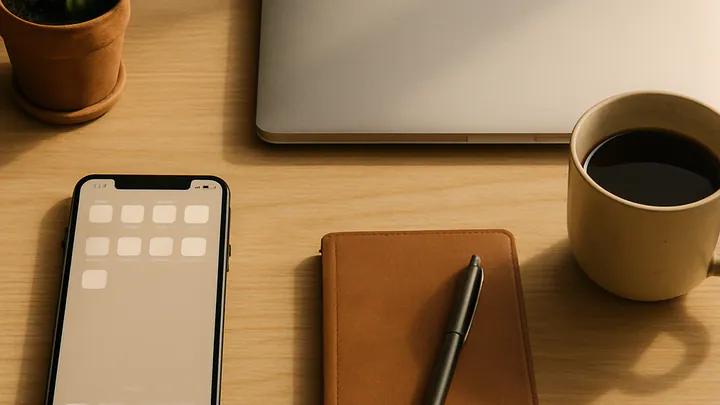
- Move every app off the first screen except the five or six you genuinely use daily — typically phone, messages, calendar, camera, maps, and notes.
- Push social media, shopping, and entertainment apps to a second or third screen, or into a single folder labeled something honest like Time Sinks.
- Switch your wallpaper to something calm. Dark, plain backgrounds make icons less visually exciting.
- Consider grayscale mode for an evening hour or two — it reduces the dopamine pull of bright app icons without disabling anything.
The goal is friction. If opening a distracting app takes three taps instead of one, you'll do it less, and often you'll catch yourself before you start.
Layer 3: Calm the inbox
Email is where polite obligations pile up. A clean inbox isn't about hitting zero every day — it's about reducing the volume of things that demand a decision.
- Unsubscribe aggressively. For a week, unsubscribe from every newsletter or promotional email the moment it arrives. If you miss one, resubscribe. You rarely will.
- Use filters. Route receipts, newsletters, and notifications into folders that skip the inbox. Read them on your terms.
- Batch process. Pick two or three windows a day — say mid-morning, after lunch, and end of day — to handle email. Close the tab between sessions.
- Archive boldly. Anything older than a month that you haven't acted on probably doesn't need action. Archive it; you can still search later.
Layer 4: Prune accounts and files
This is the slowest layer, but the most satisfying. Over a few evenings, work through:
- Old accounts: close services you no longer use. Fewer accounts means fewer data breaches and fewer marketing emails next year.
- Cloud storage: delete duplicate photos, screenshots older than a year, and downloads folders that have become digital junk drawers.
- Subscriptions: list every recurring digital subscription. Cancel anything you haven't actively used in 60 days.
- Password manager: if you don't already use one, set one up. It makes future decluttering — and security — dramatically easier.
A weekend digital declutter plan
If you want a concrete starting point, here's a plan we recommend to readers who feel buried:
- Saturday morning (60 minutes): Notifications audit and home screen rebuild.
- Saturday afternoon (45 minutes): Unsubscribe sweep. Open your inbox, sort by sender, and unsubscribe from the top twenty senders you don't love hearing from.
- Sunday morning (60 minutes): Clean up cloud storage and photos. Delete obvious duplicates and screenshots.
- Sunday afternoon (30 minutes): Review subscriptions and close two or three old accounts.
- Sunday evening (15 minutes): Set up Focus modes for sleep, work, and personal time.
That's roughly three and a half hours across a weekend, and it will reshape how your devices feel on Monday morning.
Building a maintenance routine
A declutter is a one-time event; digital minimalism is a habit. Without a small recurring routine, the clutter creeps back in within a month.
We suggest three light rhythms:
- Weekly (15 minutes, Friday afternoon): Clear your downloads folder, archive read emails, and skim notification settings for any new app that snuck in.
- Monthly (30 minutes): Review screen-time reports. If one app dominates and you don't love that fact, move it off the home screen or delete it for a week.
- Quarterly (60 minutes): Audit subscriptions, close one or two accounts you no longer use, and review which Focus modes are actually working.
Common pitfalls to avoid
A few mistakes we see again and again:
- Going extreme too fast. Deleting every social app on Sunday often leads to reinstalling them all by Wednesday. Reduce friction gradually.
- Replacing scrolling with scrolling. If you remove one feed, be honest about what fills the gap. A book on the nightstand, a walk, or a hobby helps more than a different app.
- Ignoring the watch. Smartwatches and earbuds carry notifications too. Apply the same rules there.
- Optimizing forever. Tweaking settings is itself a form of distraction. Set things up, then leave them alone for a month.
What changes when it works
People who stick with a digital declutter for a few weeks often describe a similar set of small wins: reading a book in one sitting again, finishing work earlier, sleeping more deeply, having longer conversations at dinner. None of these are dramatic on their own. Together, they add up to a life that feels less reactive and more chosen — which is the whole point.
Key takeaways
- Start with notifications — most of them don't deserve to interrupt you.
- Rebuild your home screen around the five or six tools you actually use daily.
- Unsubscribe and batch-process email rather than chasing inbox zero.
- Audit subscriptions, accounts, and cloud storage every quarter.
- Maintain with a 15-minute weekly tidy so clutter doesn't quietly return.
- Aim for friction and calm, not perfection — small changes compound.
Editorial note: This article is general lifestyle guidance, not professional advice. If digital overuse is affecting your sleep, work, mental health, or relationships in ways you can't manage on your own, please consult a qualified professional such as your doctor or a licensed therapist.
Frequently asked questions
What is a digital declutter?
A digital declutter is the process of clearing out the apps, files, notifications, and accounts that no longer serve you, then reorganizing what remains so your devices support your attention instead of stealing it.
How long does a digital declutter take?
A focused first pass usually takes two to four hours spread across a weekend. After that, a short weekly tidy of 15 to 20 minutes is enough to keep things calm and manageable.
Should I delete social media apps entirely?
Not necessarily. Many people find it easier to keep the account but remove the app from their phone, using it only from a browser. That single change often cuts daily use significantly without forcing a full goodbye.
What is the easiest first step?
Turn off non-essential notifications. Allow alerts only from people and apps that genuinely need your immediate attention, such as calls, messages from family, and your calendar. Almost everything else can wait.
How do I keep my inbox under control long term?
Unsubscribe ruthlessly, use filters to route newsletters into a separate folder, and process email in two or three set windows a day rather than reacting all day long.
Does digital decluttering really help focus?
Most people notice clearer thinking, less anxiety, and more time within a week or two. Fewer interruptions mean your brain spends less energy switching contexts, which is where most attention is lost.