Typing Wrist Pain: Strain or Early Carpal Tunnel?
Wrist ache from keyboard work isn't automatically carpal tunnel syndrome. Learn which symptoms point to a squeezed nerve, which suggest overuse strain, how to set up a neutral posture, and when to book an appointment.
Drafted with AI and published automatically. Our editors set the standards and fix reported errors — how we work.
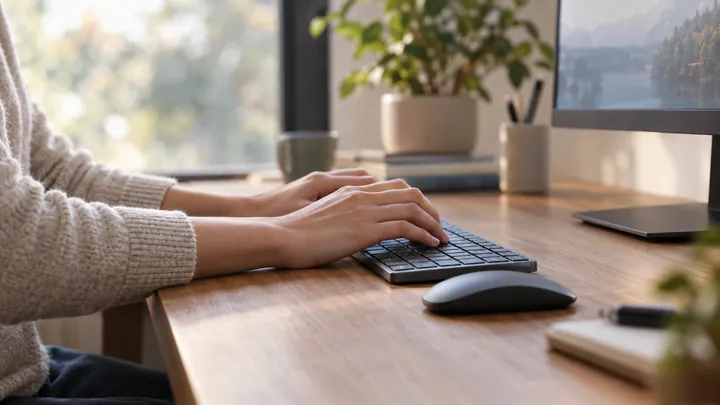
Wrist ache after a long day at the keyboard is more often overuse strain than carpal tunnel syndrome, and the difference usually shows up in what you feel and where. Soreness, stiffness and a tired ache in the wrist or forearm tend to be strain. Numbness or tingling in the thumb, index and middle fingers, especially at night, points toward a pressed nerve. This guide is for heavy keyboard and mouse users with recurring discomfort who want to know which camp they are in, what to change at the desk, and the point at which self-adjusting should stop and an appointment should start.
It is not for anyone who already has a diagnosis and is weighing splints, injections or surgery, which is a conversation for your doctor, and it is not for a wrist hurt in a fall, which needs prompt in-person assessment.
What carpal tunnel syndrome actually is
Carpal tunnel syndrome is a nerve problem, not a muscle or tendon problem. The median nerve runs from the forearm into the hand through a narrow channel at the base of the palm, the carpal tunnel, formed by the small wrist bones and a tough band of tissue across the top. According to the National Institute of Arthritis and Musculoskeletal and Skin Diseases (NIAMS) page on carpal tunnel syndrome, the condition occurs when the median nerve is pressed or squeezed at the wrist.
That distinction matters for your decision. A strained muscle or irritated tendon complains with pain and stiffness. A squeezed nerve complains with altered sensation: pins and needles, numbness, a feeling that the fingers are asleep, and eventually weakness in the muscles the nerve controls.
Symptoms that point toward carpal tunnel
The pattern described in the NIAMS overview of carpal tunnel symptoms is specific. Symptoms usually start slowly, with numbness or tingling in the thumb, index and middle fingers, and they often appear first at night. Many people describe waking with a dead-feeling hand and shaking it out to get the sensation back.
Other features that fit the nerve picture:
- Location follows the nerve. The thumb side of the hand is involved; the little finger usually is not. Numbness mainly in the little and ring fingers suggests a different nerve, which is itself a reason to get checked rather than guess.
- Symptoms appear during grip-heavy tasks such as holding a phone, a steering wheel or a book, not only while typing.
- Clumsiness creeps in. In long-term or untreated cases, the muscles at the base of the thumb can weaken so that grasping small objects becomes difficult, as NIAMS explains on its carpal tunnel page. Fumbling buttons, coins or earrings is a sign to take seriously.
Symptoms more typical of general overuse strain
Overuse strain, often grouped under the loose label repetitive strain injury, is irritation of the muscles, tendons and soft tissue that do the work of typing and mousing. It tends to feel like a workout that went on too long.
- An ache, soreness or burning fatigue across the back of the wrist or along the forearm.
- Tenderness when you press on the forearm muscles or the top of the wrist.
- Stiffness that eases with gentle movement and rest.
- Symptoms that track your workload: worse on long keyboard days and late in the week, better after a weekend away from the desk.
- No true numbness, and grip strength that feels normal once the ache settles.
The two can overlap. Someone with a poorly set-up desk can have sore forearms and early nerve irritation at the same time, so treat the table below as a guide to which way things lean, not a diagnosis.
| Feature | Leans toward carpal tunnel | Leans toward overuse strain |
|---|---|---|
| Main sensation | Numbness, tingling, pins and needles | Ache, soreness, tightness |
| Where | Thumb, index and middle fingers | Back of wrist, forearm muscles |
| Timing | Often at night or on waking | During and after heavy computer use |
| Response to rest | May persist or return overnight | Usually eases with rest and time off |
| Grip and dexterity | Weakness or dropping small objects in longer-standing cases | Grip normal, though it may feel tired |
| Triggers | Gripping, holding objects, bent-wrist sleeping | Volume of typing and mousing |
Neutral wrist and forearm posture at the keyboard
Whichever way your symptoms lean, a neutral posture takes load off both the tendons and the carpal tunnel, because a wrist bent sharply up, down or sideways narrows the space and makes the forearm muscles work harder. OSHA's computer workstation guidance on neutral working postures describes the position to aim for:
- Hands, wrists and forearms straight, in line with one another and roughly parallel to the floor.
- Elbows kept close to the body and bent between 90 and 120 degrees.
- Shoulders relaxed, with upper arms hanging normally at your sides.
- Head level, facing forward and balanced rather than craning toward the screen.
A quick self-check: sit back, let your arms hang, then bend at the elbow until your forearms are level and your fingers reach the home row. If your wrists have to tip upward to reach the keys, or your shoulders rise, the keyboard is in the wrong place.
Mouse, keyboard height and elbow angle adjustments
Most wrist bending at a desk comes from equipment set at the wrong height or distance. Work through this list in order, since each change affects the next.
- Set chair height first. Adjust it so your feet rest flat on the floor or a footrest, then check that your elbows fall within the 90 to 120 degree bend in OSHA's neutral posture guidance.
- Bring the keyboard to elbow height or just below. With your forearms parallel to the floor, the keys should sit under your fingers without lifting your hands. If the desk is too high, a keyboard tray or a higher chair with a footrest are the usual fixes.
- Flatten the keyboard. Fold away the little feet at the back. Raised feet tilt the keys toward you and push the wrists into extension, the bent-back position that squeezes the carpal tunnel.
- Keep the mouse beside the keyboard at the same height. Reaching forward or out to the side for a mouse lifts the shoulder and twists the wrist. A compact keyboard without a number pad lets the mouse sit closer.
- Move the mouse from the elbow and shoulder, not by flicking the wrist while it stays anchored on the desk edge.
- Use a wrist or palm rest only during pauses. Resting the wrist on a pad or a hard desk edge while typing puts pressure directly over the carpal tunnel and makes you bend the hands up to reach the keys.
- Place the monitor so your head stays neutral. Mayo Clinic's office ergonomics guide recommends the screen directly in front of you, about an arm's length away, with the top at or slightly below eye level, lowered an extra 1 to 2 inches if you wear bifocals. A screen off to one side or too high pulls the shoulders and arms out of line.
On a laptop, those goals conflict: a screen at the right height puts the keyboard too high, and a keyboard at the right height puts the screen too low. For daily heavy use, a separate keyboard and mouse with the laptop raised on a stand solves both.
Micro-breaks and grip habits during the day
Posture sets the baseline; habits decide how much load you pile on top of it. The goal is fewer long stretches of static, tense hand work.
- Type lightly. Hammering keys to the bottom of their travel adds force with every stroke. Aim for just enough pressure to register.
- Loosen your mouse grip. Many people clutch the mouse even when not moving it. Let the hand rest on it and release between tasks.
- Break up long runs. Take short pauses often, such as at the end of each email or document section: drop your hands to your lap, let the shoulders go, and gently open and close the fingers. Frequent short breaks tend to be easier to keep up than rare long ones.
- Switch tasks. Alternate typing-heavy work with calls, reading or standing tasks where you can.
- Watch the non-desk hours. Long phone scrolling with a bent wrist, gaming controllers and sleeping with wrists curled under the pillow all add to the same load.
- Use keyboard shortcuts for repetitive mouse actions like copy, paste and switching windows, which cuts the number of small wrist movements.
When to stop adjusting and book an appointment
Here is the rule: desk changes are a reasonable first step for ache and soreness, but any sign that a nerve is involved means booking an appointment rather than waiting to see if ergonomics fixes it. Nerve compression that is left alone can progress, and the NIAMS carpal tunnel page describes thumb-muscle weakness developing in long-term or untreated cases.
See a doctor or other qualified clinician promptly if you have any of these:
- Numbness that is constant rather than coming and going.
- Weakness in the hand or thumb, or a grip that feels unreliable.
- Dropping things, or new difficulty with buttons, keys or small objects.
- Tingling or numbness that regularly wakes you at night.
- A visible change at the base of the thumb, such as the fleshy pad looking flatter than on the other hand.
- Symptoms in both hands, spreading up the arm, or accompanied by neck pain.
For discomfort that is purely achy, give your adjustments a fair trial: make the posture and habit changes consistently and track whether the soreness eases. If it keeps returning despite a properly set-up desk, gets worse, or starts to include any of the sensations above, that is the point to get it assessed. A clinician can examine the hand, check sensation and strength finger by finger, and order nerve tests if needed, which is how carpal tunnel is actually told apart from strain and from other causes such as a nerve pinched at the neck or elbow.
When you go, it helps to bring notes: which fingers are affected, what time of day symptoms appear, what makes them better or worse, and what you have already changed at your desk. That record turns a vague complaint about a sore wrist into a pattern a clinician can work with.