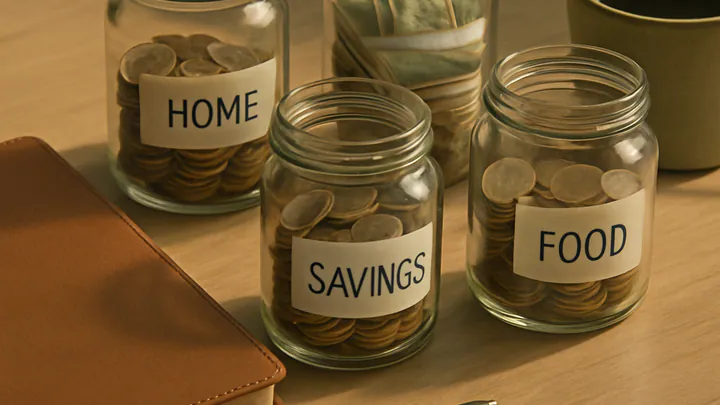
Eight Personal Finance Apps Worth Trying in 2026, Compared
Eight budgeting and money-tracking apps, compared on price, method and who they actually suit — plus the setup mistakes that make people quit in week three, and when a spreadsheet still wins.
Rewritten with AI and republished automatically. Our editors set the standards and fix reported errors — how we work.

TL;DR: There is no single best money app. Rocket Money finds forgotten subscriptions, YNAB retrains spending, Monarch and Zeta suit couples, Copilot suits Apple users, PocketGuard suits minimalists, Goodbudget suits envelope budgeters, and Empower tracks net worth free. Pick the one matching your actual problem, then use it for 60 days.
What is a personal finance app, and what does it actually do?
A personal finance app is a budgeting and tracking tool that pulls your bank, card and investment transactions into one place, categorizes them, and shows you where your money went and what is left. Most connect through a licensed data aggregator such as Plaid or MX, using read-only access — the app can see transactions but cannot move funds.
Beyond that shared foundation, the apps diverge sharply. Some are proactive: they ask you to assign every dollar before you spend it. Others are retrospective: they tell you what already happened. A third group barely budgets at all and focuses on net worth and investments. Choosing badly usually means choosing the wrong category, not the wrong brand.
Which eight personal finance apps are worth trying in 2026?
These eight cover the realistic range of needs: subscription cleanup, zero-based budgeting, couple finances, envelope method, quick daily checks, and wealth tracking. Features and pricing change often, so confirm current details in the app store before you commit.
Rocket Money — for finding subscriptions you forgot you had
Formerly Truebill, Rocket Money scans linked accounts for recurring charges and surfaces them in one list. Almost everyone who runs it for the first time finds at least one live subscription they had mentally canceled months ago. It also offers bill negotiation, which is charged as a share of the savings it wins — read that fee structure carefully before you opt in, because it can be a meaningful cut of your first year of savings.
Monarch — for couples and family budgets
Monarch combines a clean, ad-free dashboard with deep customization: shared goals, custom categories, rollover budgets and net worth tracking. It is subscription-only, roughly $100 a year, and the absence of upsells inside the product is part of why its retention holds up. Best when both partners want full visibility.
YNAB — for breaking the paycheck-to-paycheck cycle
You Need A Budget is the strictest tool here and the only one that is really a method with software attached. Every dollar gets a job the moment it arrives, and irregular expenses get funded monthly instead of ambushing you. The learning curve is real — expect two full months before it clicks — and there is no meaningful free tier.
PocketGuard — for a single safe-to-spend number
PocketGuard subtracts bills, goals and planned savings from your balance and shows what remains. If you overthink budgets and abandon them, the reduction to one number is the feature. It is shallow by design; power users will outgrow it.
Copilot — for iPhone and Mac users who care about design
Copilot is Apple-first, fast, and unusually good at learning your categorization preferences, so manual cleanup drops off sharply after a few weeks. Support for Apple Card and Apple Cash is a genuine differentiator. If you live on Android or Windows, skip it.
Zeta — for shared money without surrendering privacy
Zeta is built specifically around couples: joint goals and shared views alongside individual accounts, so you can coordinate without publishing every purchase. It suits partners who want a shared system but not a shared microscope. Confirm the current feature set before switching, as couples-focused products in this space evolve quickly.
Goodbudget — for envelope budgeting without a bank connection
Goodbudget digitizes the cash-envelope method: you divide income into category envelopes and spend only what is in each one. The free tier supports a limited number of envelopes (around ten), which is genuinely enough for most households. It leans manual, which is a feature if you want the friction.
Empower — for net worth and investment visibility
Formerly Personal Capital, Empower's dashboard shows spending, retirement accounts, portfolio allocation and net worth together. Budgeting and tracking are free; the company monetizes through its paid advisory service, which you can decline. Expect outreach from an advisor after you link a large balance — that is the trade.
How do these apps compare on price and method?
| App | Method | Best for | Typical cost |
|---|---|---|---|
| Rocket Money | Subscription audit + light budgeting | Recurring-charge cleanup | Free tier; premium optional; negotiation billed as a share of savings |
| Monarch | Flexible category budgeting | Couples and families | Around $100/year, no free tier |
| YNAB | Zero-based (every dollar assigned) | Paycheck-to-paycheck breakers | Roughly $100+/year after a free trial |
| PocketGuard | Safe-to-spend calculation | Simplicity seekers | Free tier with paid upgrade |
| Copilot | Smart categorization + budgets | iOS/macOS users | Paid subscription, monthly or annual |
| Zeta | Shared + private accounts | Couples wanting some privacy | Free core product |
| Goodbudget | Digital envelopes, manual-friendly | Envelope budgeters | Free for limited envelopes; paid for more |
| Empower | Net worth and portfolio tracking | Long-term wealth visibility | Free tracking; paid advisory optional |
How do I pick the right app for my situation?
Match the app to the problem you can name in one sentence. If you cannot name the problem, start free and observe for a month before paying for anything.
- You run out of money before payday. YNAB. The forced assignment of every dollar is the intervention.
- You suspect you are leaking money on services. Rocket Money first, for one month, then decide whether you still need it.
- You share finances and want full transparency. Monarch.
- You share finances but want some private spending. Zeta.
- You want to open an app for ten seconds a day. PocketGuard.
- You want the nicest experience on an iPhone. Copilot.
- You want categories with hard limits and no bank linking. Goodbudget.
- You already budget fine and want the investment picture. Empower.
Our decision rule: run two apps side by side for 30 days on the same accounts, then keep whichever one you opened without being reminded. Enthusiasm in week one means nothing; week three behavior is the real signal. If neither survives, the problem is the workflow, not the software — consider pairing a simple tracker with a sinking fund system for irregular expenses, which removes most budget blowups at the source.
When is a paid budgeting app worth the subscription?
A paid app is worth it when its features change a behavior that is currently costing you more than the fee. A roughly $100 annual subscription needs to save about $8.50 a month to break even — one avoided overdraft, one canceled streaming tier, or one utility plan downgrade clears it.
It is not worth it when you simply want to watch numbers. Free tracking in Empower or Goodbudget covers visibility perfectly well. Paying for a premium app and then ignoring its recommendations is just a new subscription added to the pile you were trying to clear.
One honest caveat: if your income is highly irregular — freelance, commission, tips — the strict zero-based tools can feel punishing at first. They still work, but budget on last month's actual income rather than this month's hoped-for income, or the app will fight you every week.
Are these apps safe, and what should I check before linking accounts?
Mainstream finance apps use encrypted, read-only connections through regulated aggregators, and they generally cannot initiate transfers. The realistic risks are not dramatic hacks — they are weak passwords, credential reuse, and abandoned connections that keep pulling data long after you stopped caring.
Before you link anything, do four things: enable two-factor authentication on both the app and your bank; use a unique password from a password manager; check whether the app offers a full CSV export; and note where in your bank's settings you can revoke third-party access. Data-sharing regulation in the US is still shifting, so the ability to leave cleanly matters more than any marketing claim about security.
Also expect connection breakage. Banks rotate authentication requirements, and a linked account will silently stop syncing at some point. If you notice a suspiciously calm month, check your connections before you congratulate yourself.
What mistakes make people abandon finance apps?
Most people quit for the same four reasons, and all four are fixable in the first month.
- Set it and forget it. The app surfaces data; it does not act. Block ten minutes on the same day each week to review and recategorize. That single recurring appointment is the difference between a tool and an icon.
- Running three apps at once. Split attention produces three incomplete pictures. Choose one primary app and give it 60 days.
- Ignoring miscategorized transactions. If your gym charge lands in "entertainment," your fitness budget looks healthy while your entertainment budget looks broken — and you will draw the wrong conclusion. Spot-check categories weekly for the first month, then monthly. Warehouse stores and Amazon are the worst offenders because one receipt mixes groceries, household goods and gifts.
- Never naming a goal. Goal features go unused in almost every app. Naming a target — "March flights," "new tires" — makes funding it far more likely than an unlabeled savings balance.
A fifth, quieter mistake: assuming your app will exist forever. Intuit shut Mint down in early 2024 and migrated users toward Credit Karma, and plenty of people lost the categorized history they had built over a decade. Export your transactions once a year and keep the file.
When does a spreadsheet still beat an app?
A spreadsheet wins when your finances are unusual enough that categories lie to you: business and personal money in one account, multiple currencies, rental property with pass-through expenses, or income that arrives three times a year. Aggregators handle these poorly, and you will spend more time correcting the app than you would entering rows.
It also wins if privacy is a hard requirement and you would rather not hand transaction-level data to a third party at all. Manual tracking is less convenient, but it is complete, portable, and free.
What should I do in the first 30 days?
Link your primary checking account and the two cards you use most — not every account you own. Categorize one full month of past transactions so the app has a baseline. Cancel anything on the recurring-charges list you cannot justify out loud. Set exactly one savings goal. Then leave the rest of your setup alone until the second month.
Where the numbers point to real leaks, attack the two biggest lines first. For most households those are food and clothing, which respond well to systems rather than willpower — a rotation of fast, balanced sheet-pan dinners cuts takeout without a spreadsheet, and a 30-piece capsule wardrobe quietly ends impulse clothing buys. If travel is your big irregular expense, slow travel with fewer cities per trip lowers cost per day more reliably than hunting for cheap flights.
Key takeaways
- Choose by method, not brand: proactive (YNAB, Goodbudget), retrospective (Copilot, PocketGuard, Rocket Money), or wealth-focused (Empower).
- Run two apps for 30 days and keep the one you open unprompted in week three.
- A roughly $100/year subscription pays for itself if it changes one costly habit; otherwise free tiers are genuinely enough.
- Spot-check categories weekly at first — miscategorized transactions quietly invalidate every chart you look at.
- Export your data yearly and know how to revoke bank access; apps get discontinued, as Mint's 2024 shutdown showed.
- Spreadsheets still win for mixed business/personal money, multi-currency, or very irregular income.
This article is for informational purposes only and is not financial advice. App features, pricing and availability change frequently — verify current details directly with each provider. For decisions involving investments, debt or taxes, consult a qualified financial professional who knows your full situation.
Frequently asked questions
What is the best personal finance app for beginners?
PocketGuard and Goodbudget are the easiest starting points: PocketGuard reduces everything to one safe-to-spend number, and Goodbudget's digital envelopes work even if you never link a bank account. Both are usable within an evening, which matters more for a first app than depth of features.
Are personal finance apps safe to link to my bank account?
Reputable budgeting apps use read-only connections through licensed data aggregators, so they can see transactions but cannot move money. Safety still depends on your own habits: use a unique password, turn on two-factor authentication, and revoke an app's access from your bank's connected-apps settings the moment you stop using it.
Do I have to link my bank account to use a budgeting app?
No — Goodbudget and, to a lesser extent, YNAB work fine with manual entry, and manual logging tends to make people more aware of their spending. The trade-off is friction: manual tracking usually fails unless you enter transactions within a day or two of making them.
Is YNAB worth about $100 a year?
It is worth it if the zero-based method changes a behavior that currently costs you money, such as covering irregular bills with a credit card. If you already spend less than you earn and only want visibility, a free net worth and spending tracker like Empower's covers that need without a subscription.
What happened to Mint, and should I worry about my app shutting down?
Intuit closed Mint in early 2024 and pointed users toward Credit Karma, which stranded years of categorized history for many people. The lesson is practical: choose apps that offer a CSV export, and download your full transaction history once a year so no single company owns your financial record.
Can a budgeting app actually save me money?
It can, mainly by surfacing recurring charges you forgot about and by making category overspending visible before the month ends. The app itself saves nothing — the savings come from the cancellations, plan downgrades and spending changes you act on after seeing the data.
Should couples use one app or two?
Use one shared app if both partners want full transparency, and choose a couples-focused tool if either person wants some private spending alongside joint goals. The common failure is one partner doing all the categorizing, which turns a shared system into a chore and a source of friction.