Are Smart Gadgets Worth the Hype? A 2026 Buyer's Guide
Some smart gadgets quietly earn their keep. Most are a subscription with a plastic shell. Here is a test to use before buying, the hidden costs nobody lists on the box, and the categories that actually deliver in 2026.
Rewritten with AI and republished automatically. Our editors set the standards and fix reported errors — how we work.
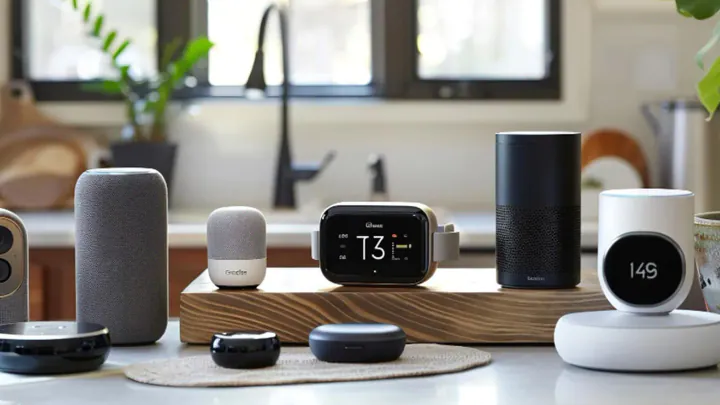
TL;DR: A few smart gadgets genuinely earn their keep in 2026. The ones that do fix a friction you already complain about, keep working without a monthly fee, and survive the company's servers going dark. Everything else is a subscription with a plastic shell. Here is how to tell the difference before you pay.
What exactly counts as a “smart gadget,” and what makes one worth owning?
A smart gadget is a consumer device that combines a sensor or motor with network connectivity and software, so it can act on data instead of just displaying it. That definition is deliberately unglamorous, because it explains the whole category: the hardware is rarely the point, the software and the data pipeline are.
That also explains why quality varies so wildly. Two doorbell cameras can use near-identical sensors and deliver completely different experiences because one processes motion events on the device in under a second and the other round-trips to a server. When evaluating anything connected, weigh the software behavior and the ownership terms roughly twice as heavily as the specifications printed on the box.
How do I decide if a specific gadget is worth the money before I buy it?
Use a three-question test, and require all three answers to be yes. This is the single most useful thing in this article.
- Have I complained about this problem out loud at least twice in the last month? If the annoyance is not already real and recurring, the gadget is solving a hypothetical.
- Does it keep its core function with no subscription and no internet? A camera that still records locally, a lock that still turns with a code, a watch that still tells time and counts steps.
- Can I explain, in one sentence, what I will stop doing once I own it? “I will stop getting up to check whether the front door is locked.” If you cannot finish the sentence, it is a toy.
A worked example: a smart plug costs roughly the price of two coffees, needs no subscription, works on a schedule offline, and reliably stops the bedroom lamp debate at 11 p.m. It passes. A connected water bottle that reminds you to drink costs more, adds a charging cable to your life, and replaces a behavior you can perform for free. It fails on question three.
Which smart gadget categories actually deliver in 2026?
Entry security, lighting, and sleep environment control have the highest satisfaction rates because they touch daily routines. Kitchen and wellness gear is more polarized: excellent for people with a specific goal, expensive clutter for everyone else.
| Category | What it actually fixes | Typical hardware outlay | Ongoing fee risk | Skip it if… |
|---|---|---|---|---|
| Video doorbell & smart lock | Package theft, visitors, lost keys | Low to mid hundreds | Medium — cloud clip storage | You rent and cannot modify the door |
| Smart lighting & plugs | Evening routines, away-from-home lighting | Low | None | Your switches lack a neutral wire (choose bulbs, not switches) |
| Smart display / assistant | Shared family calendars, hands-free timers, intercom | Low to mid | Low | You are uncomfortable with an always-listening mic |
| Sleep tech (trackers, temperature control) | Trend visibility; genuine comfort from temperature regulation | Mid hundreds to four figures | High — often mandatory | Your problem is your schedule, not your mattress |
| Wearables & recovery rings | Long-term trend data on activity, heart rate, sleep timing | Mid hundreds | High on some brands | You want medical answers rather than trends |
| Security cameras | Deterrence, evidence, monitoring while away | Mid hundreds for a kit | Medium — avoid with local storage | Your upload bandwidth is already saturated |
| Kitchen tech | Repeatable results, less babysitting the stove | Wide range | Low | You cook the same five simple meals happily |
| Entertainment (VR, handhelds, projectors) | Nothing — and that is fine, it is joy | Mid to high hundreds | Low, content aside | You already have a backlog you never touch |
Smart displays: productivity hubs, not weather robots
Modern smart displays have outgrown their novelty phase. The useful parts are the shared calendar surface, hands-free timers while your hands are wet, and the intercom between rooms. The camera for video calls is a bonus; treat it as one, and check that it has a physical shutter.
Sleep tech: helpful data, but it is not treatment
Temperature-regulating mattress systems and sleep trackers can make a real difference for light sleepers and hot sleepers, but they measure and adjust — they do not treat. Before spending four figures, fix the free variables first: consistent wake time, morning light, and caffeine cutoff. If you snore loudly, wake gasping, or feel exhausted despite adequate hours, consult a qualified medical professional rather than an app dashboard.
Wearables: useful for trends, not for diagnosis
Rings and screenless bands are excellent at showing you a three-month trend line you would never have noticed otherwise. They are poor at answering “is something wrong with me.” Check two unglamorous things before buying: whether the battery is replaceable, and whether the features you care about survive cancelling the membership.
Home security: the one category where local storage wins
Prefer systems that record to local storage with optional cloud backup. You get faster notifications, no monthly bill, and footage that still exists if your internet drops during exactly the event you cared about. A doorbell also earns its place as part of a functional entrance.
Kitchen and desk: buy for a habit you already have
Smart ovens and precision cookers reward people who cook often and want repeatability. If your weeknight reality is getting food on the table in half an hour, a better pan and a rotation of sheet-pan dinners will outperform a connected appliance. At the desk, the highest-value upgrades remain boring: a quiet mechanical or low-profile keyboard, a second display, and a macro pad that collapses repetitive clicks into one button.
What hidden costs do smart gadgets carry?
The four that catch people out are subscriptions, ecosystem lock-in, replacement cycles, and cloud dependency. Over a three-year window, a recurring fee often exceeds what you paid for the device itself — so calculate hardware plus 36 months of fees before comparing two products.
- Subscriptions: cloud clip storage, “advanced” analytics, and membership-gated features. Always check what the device does on day one after you cancel.
- Lock-in: buying three devices from one ecosystem makes the fourth purchase decision for you. Matter support is the escape hatch.
- Replacement: sealed batteries in wearables and doorbells set a real expiry date on the hardware.
- Cloud dependency: discontinued services have bricked otherwise healthy devices across this industry more than once. It is the single best argument for local control.
What are the most common and costly mistakes buyers make?
The most expensive mistake is buying the hub, not the habit — committing to an ecosystem before you own anything that needs it. The second is blaming the gadget for a network problem. The third is treating a consumer sensor as a medical instrument.
On the network point: a house with twenty-five connected devices strains a router's client handling and 2.4 GHz airtime far more than it strains raw bandwidth. If cameras stutter and bulbs drop offline, the gadgets are usually innocent. Our breakdown of whether a Wi-Fi 7 router upgrade is worth it explains when the network really is the bottleneck and when it is not.
When is a smart gadget genuinely not worth it?
Skip it if you rent and cannot modify hardware, if the device requires a neutral wire your switch box does not have, if your upload bandwidth is already strained by work calls, or if you are buying it to change a behavior rather than to support one. None of those are fixable by spending more.
There is also an honest exception around health: if you are seeking answers about a symptom, a consumer wearable is the wrong tool. It is built for trends in a healthy population, not for diagnosis. Bring the data to a clinician if you like — just do not let it replace one.
How do I keep connected devices private and secure?
Do three things on setup day: change every default password, turn on two-factor authentication for the account that controls the device, and put cameras and appliances on a guest or IoT network separate from your laptops. That last step limits what an compromised gadget can reach.
Account security is now the weak link more often than the hardware. Moving your smart home accounts to phishing-resistant sign-in is worth the ten minutes — our explainer on how passkeys replace passwords covers the mechanics. Also prefer devices that process wake words, faces, or motion locally; on-device AI is the difference between your living room audio staying in your living room and being someone else's training data.
So what should I buy first?
Buy the entry — a video doorbell or a smart lock — then a handful of smart plugs, then stop for three months. That sequence gives you the highest-frequency daily benefit for the lowest outlay, and the pause reveals what you actually reach for. Most people discover the fourth purchase they were planning is not needed.
If you want to spend money on something that will still be useful in five years, spend it on the network and the display you look at all day, not on the gadget with the best launch video.
Key takeaways
- Apply the three-question test: a real recurring complaint, core function without a subscription or internet, and one sentence describing what you will stop doing.
- Price the device as hardware plus 36 months of fees before comparing options — subscriptions often outrun the sticker price.
- Favor local processing and local storage; they survive outages, discontinued services, and cancelled memberships.
- Entry security and lighting have the highest hit rate; wellness and kitchen tech reward existing habits and punish aspirational ones.
- Wearables and sleep devices show trends, not diagnoses — take persistent symptoms to a qualified professional.
- Fix the network before blaming the gadget, and isolate connected devices on their own network segment.
Frequently asked questions
Are smart gadgets actually worth buying in 2026?
Some are, most aren't. A smart gadget is worth buying when it removes a friction you have already complained about more than once, keeps its core function without a subscription, and still works if the manufacturer's cloud goes offline. Devices that fail any of those three tests usually end up in a drawer within a year.
Which smart gadget should I buy first if I only buy one?
Buy a video doorbell or a smart lock first. Entry security is the category with the highest hit rate because it solves a problem that happens every single day — packages, visitors, forgotten keys — and it works even for people who have no other connected devices in the house.
Do smart gadgets need a monthly subscription?
Many do, and the fee is often where the real cost lives. Recovery-focused wearables, most cloud camera systems, and some smart mattresses charge ongoing fees that can exceed the hardware price over three years. Cameras with local storage and watches with free companion apps avoid this entirely.
What happens to a smart gadget if the company shuts down?
Cloud-dependent devices can lose most or all of their functions when the servers are switched off, and this has happened repeatedly across the industry. Devices that run locally — over Matter, Thread, Zigbee, or plain Bluetooth — usually keep their core behavior even without the manufacturer's service.
Can a sleep tracker fix my sleep?
No. A sleep tracker measures patterns; it does not change bedtimes, light exposure, caffeine timing, or an untreated sleep disorder. Trackers are useful for spotting trends, but persistent fatigue, loud snoring, or gasping during sleep should be discussed with a qualified medical professional rather than an app.
Is Matter support worth waiting for?
Yes, if you plan to own more than a handful of devices. Matter is the cross-platform standard that lets gadgets from different brands work with Apple Home, Google Home, Alexa, and SmartThings, which protects you from being locked into one ecosystem that you may want to leave later.
Do I need a better router before buying smart home devices?
Often yes. Two dozen connected devices stress a router's client count and 2.4 GHz band more than raw speed, so coverage and capacity matter more than headline bandwidth. If cameras stutter or devices drop offline, the network is usually the fault, not the gadget.