Smart Home Organization 2026: Tech That Keeps Homes Tidy
Smart home organization only works when the system underneath it is already simple. Here is what to automate, what to skip, what it costs, and how to keep the whole setup from quietly falling apart in month four.
Rewritten with AI and republished automatically. Our editors set the standards and fix reported errors — how we work.
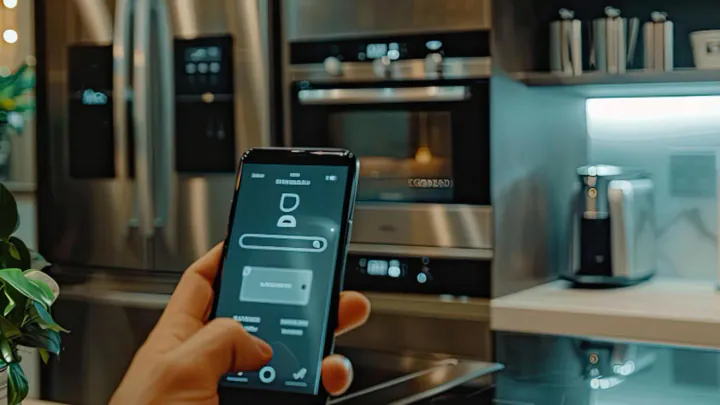
TL;DR: Smart home organization works when technology maintains a system you have already simplified — not when it papers over clutter. Automate the repeating decisions (restocking, reminders, nightly resets, entryway traffic), skip gadgets that add upkeep, and expect a useful starter setup to cost well under $200.
What is smart home organization, and what does it actually solve?
Smart home organization is a household system that combines conventional decluttering with connected tools — sensors, voice assistants, scheduled automations, and inventory apps — so that maintaining order depends on the system rather than on your memory. The storage is still physical. What changes is who remembers.
That distinction matters because most "disorganization" is not a storage problem at all. It is a decision-and-memory problem: you forget you already own the batteries, you forget which drawer the charging cables live in, you forget to reset the living room before bed. Technology is genuinely good at exactly those three failures and genuinely bad at deciding what you should own.
What should I fix without technology first?
Fix volume, homes, and friction before you buy anything. Automation reproduces the system it is given, so a sensor inside a chaotic cabinet just tells you the cabinet is chaotic more precisely.
- Volume: if a category does not fit in its space, no app fixes it. The same logic drives a capsule wardrobe approach to clothing — fewer, better-chosen items make every downstream system simpler.
- Homes: every category needs one named location. "Somewhere in the office" is not a location.
- Friction: if putting something away takes more than about five seconds, it will not happen. Open bins beat lidded bins. Hooks beat hangers for daily coats.
Our decision rule: never automate a system you could not explain to a houseguest in one sentence.
What does a smart organization setup cost in 2026?
A functional starter layer costs roughly $50–$150, a comfortable mid-tier household setup lands around $400–$800, and a fully wired home with locks, displays, and premium cleaning robots runs into the low thousands. Costs vary widely by brand and region, so treat the ranges below as planning figures rather than quotes.
| Layer | Typical outlay | What it fixes | Buy it when |
|---|---|---|---|
| Smart plugs and bulbs | ~$10–$50 each | Bedtime resets, forgotten appliances, lighting routines | Immediately — highest payoff per dollar |
| Voice assistant speaker or display | ~$40–$250 | Hands-free lists, timers, shared reminders | You cook, parent, or carry things often |
| Robot vacuum | ~$200–$1,200 | Floor maintenance; forces daily floor clearing | Hard floors, pets, or a household that leaves floors clear |
| Inventory app plus labeled bins | Free–$40/year | Duplicate purchases, "where is the…" searches | Garage, pantry, or craft storage over ~100 items |
| Smart lock and video doorbell | ~$100–$400 | Package chaos, key handoffs, entry logging | Frequent deliveries or shared access needs |
| Sensors, hubs, wired switches | ~$150–$600+ | Conditional automations, whole-home scenes | Only after the first three layers already stick |
If you are spreading this over a year, a dedicated savings line keeps it from landing on a credit card all at once. This is general household budgeting, not financial advice.
How do I track what I own without scanning every item?
Track categories, not objects. The households that keep an inventory running long-term photograph each bin's contents, label the bin, and log the label — they do not enter 400 individual items. Full item-level inventories almost always die within a month.
| Method | Setup effort | Ongoing upkeep | Fails when |
|---|---|---|---|
| Photo-per-bin plus a shared note | An afternoon | Retake a photo when contents change | Bins get reshuffled without new photos |
| Inventory app with barcode scanning | Moderate; pantry goods only | Scan in, scan out | Anyone in the house skips scanning once |
| Bluetooth trackers | Minutes per tag | Battery swaps roughly yearly | Item is stored out of phone range; battery dies silently |
| Weight or door sensors on storage | High; needs a hub | Firmware and battery checks | Data is generated but never actually looked at |
The costly mistake we see most: tagging low-value stored goods. Trackers are for items that move and matter — keys, wallet, work bag, passport folder. Putting a $25 tracker on a $6 box of screws is how people conclude the whole category is a gimmick.
Which automations actually reduce mental clutter?
The automations worth building are the ones that repeat daily and require no judgment. Everything else is a novelty you will disable by spring.
- A nightly reset scene: one command or one scheduled time that dims lamps, cuts power to the coffee maker circuit, and turns on a hallway light. It becomes the cue to put five things away.
- A shared running list: anyone can say "add paper towels" and it appears on every phone in the house. This single habit kills most duplicate purchases.
- A morning start: kettle or coffee maker on a plug schedule, blinds or lamps timed to wake-up. Paired with a ten-minute morning sunlight habit, it makes the first twenty minutes of the day automatic.
- A weekly nudge: a recurring reminder for the one maintenance task you always forget — filter, litter, recycling night.
Honest caveat: conditional automations that depend on presence detection or multiple sensors are fragile. If a routine misfires twice, most people stop trusting the system entirely. Start with time-based schedules, which almost never fail.
Does smart furniture actually save space?
Multi-function furniture saves space reliably; the "smart" electronics inside it usually do not justify the premium. A storage ottoman, a bed with drawers, or a nightstand with a hidden compartment earns its footprint. The same nightstand with a built-in speaker adds cost, adds a device that will outlive its firmware support, and duplicates a function your phone already has.
The one embedded feature we consistently find worth it is integrated charging, because it removes a permanent source of visual clutter — cables. If a bedroom is where your clutter concentrates, the layout fundamentals in our bedroom refresh guide will do more than any connected furniture.
Do robot vacuums keep a home tidy?
They keep floors clean and, more usefully, they force you to clear the floor before every run. That behavioral side effect is the real organizing benefit. Modern mapping models let you run one room on a schedule, which is often more practical than whole-floor runs.
Where it does not apply: homes with deep pile rugs, lots of cords, thresholds over roughly an inch, or a pet prone to accidents. In those homes, a robot creates cleanup work rather than removing it. Also budget for consumables — brushes, filters, and bags are an ongoing cost that rarely appears in the purchase decision.
How should the entryway be set up?
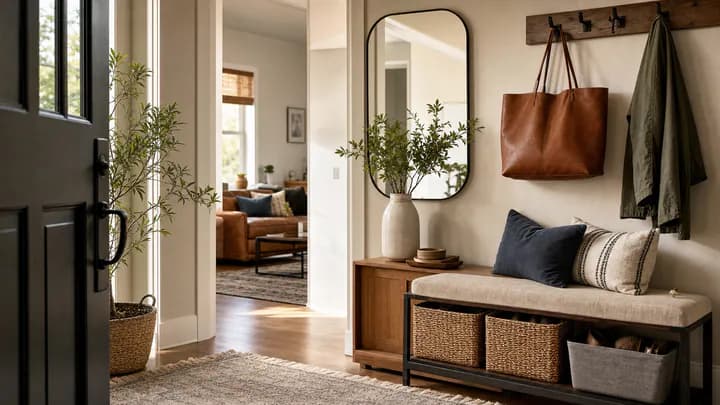
The entryway is where organization systems either hold or collapse, because it is where deliveries, keys, mail, shoes, and bags all arrive at once. A smart lock plus a doorbell camera solves the access and package-timing half; hooks, a tray, and a landing surface solve the physical half. You need both.
Choose a lock that retains a physical key or keypad backup, and mount the camera so it frames the package drop zone rather than the street. For the physical layout — the shelf height, the bench depth, the one-tray rule — our guide to making the first three feet of your home work covers the specifics.
What makes these systems break, and how do I prevent it?
Four failure modes account for nearly everything: dead batteries, discontinued cloud services, ecosystem lock-in, and an overloaded home network. Each has a straightforward defense.
- Batteries: sensors and trackers fail silently. Put one calendar reminder every six months to check them all at once.
- Cloud shutdowns: if a device becomes useless when its app disappears, it is a rental, not a purchase. Prefer local control or a manual fallback.
- Lock-in: look for Matter or Thread support on the packaging. Matter is the cross-platform standard that lets one device work across Apple Home, Google Home, and Alexa, which is your insurance against switching later.
- Network load: a dozen connected devices on an aging router causes the lag people blame on the devices. If yours is several generations old, our breakdown of whether Wi-Fi 7 is worth the upgrade explains when a new router genuinely helps and when it does not.
One privacy note worth stating plainly: indoor cameras and always-listening microphones record inside your home. Review what is stored, where it is stored, and who else in the household has access before you mount anything in a bedroom or a child's room.
What about digital clutter?
Digital clutter degrades the same system, because a buried grocery list or a phone with 90 unread app notifications defeats every routine you just built. Spend thirty minutes a month on three things: turn off notifications from apps you do not act on, empty the downloads folder, and archive last month's documents into one dated folder.
A useful test: if you cannot find your shared household list in under five seconds from the lock screen, it is in the wrong place. Move it to the home screen or a widget. Organization systems fail at the point of highest friction, and on phones that point is almost always navigation.
What is a realistic 30-day rollout?
Four weeks, one layer at a time. Adding everything at once is the single most common reason people abandon the whole project.
- Week 1: declutter one zone completely and assign homes. No purchases.
- Week 2: add two smart plugs and build one nightly reset schedule.
- Week 3: set up the shared list and one recurring reminder. Get everyone in the house using it.
- Week 4: photograph and label storage bins; log the labels in one note. Only now consider a larger purchase.
Key takeaways
- Declutter and assign homes first — automation copies the system it is given, flaws included.
- Smart plugs, a shared list, and one scheduled nightly reset deliver most of the benefit for under $100.
- Track bins and categories with photos and labels, not individual items; reserve Bluetooth trackers for high-value items that move.
- Prefer devices with Matter or Thread support and a manual fallback so a discontinued app does not turn hardware into scrap.
- Robot vacuums help because they force floors to be cleared — skip them if cords, thick rugs, or high thresholds dominate your space.
- Roll out one layer per week; simultaneous setup is why most smart organization projects stall.
Frequently asked questions
What is smart home organization?
Smart home organization is a household system that pairs conventional decluttering — fewer items, fixed homes for what remains — with connected tools such as sensors, voice assistants, automation routines, and inventory apps so the system maintains itself instead of relying on memory. The technology is the reminder layer, not the storage itself.
Does smart home technology actually make a home tidier?
It makes a tidy home easier to keep tidy, but it will not create one. Automation reproduces whatever system you already have, so a cluttered room with sensors in it is still a cluttered room. Simplify first, then automate the maintenance — the reminders, the restocking, the nightly reset.
What should I buy first if I only spend $60?
Start with two or three smart plugs and one voice assistant speaker you probably already own. Plugs let you schedule lamps, coffee makers, and space heaters, which removes the most repetitive decisions of the day. Everything else — locks, displays, robot vacuums — should wait until you know your routines hold.
Is Matter worth waiting for before buying smart home devices?
You do not need to wait, but you should prefer devices that list Matter or Thread support on the box. Matter is a cross-ecosystem standard that lets a device work with Apple Home, Google Home, and Amazon Alexa, which protects you if you ever switch platforms or if a manufacturer shuts down its app.
Are Bluetooth item trackers worth it for home organization?
They are worth it for a handful of high-value, frequently lost, mobile items — keys, wallet, a work bag, a passport folder — and almost never worth it for stored goods. Trackers need line of sight to a phone, have batteries that die quietly, and cost more than most of the items people want to tag.
Will a robot vacuum keep my floors clear of clutter?
No — it does the opposite. A robot vacuum cleans only what it can reach, so it forces you to clear the floor before each run, which is why many households find it changes behavior more than it changes cleanliness. Budget for the pickup routine, not just the machine.
What happens to my setup if a company discontinues its app?
Cloud-only devices can lose their features entirely, which is the main long-term risk in this category. Choose hardware that keeps a local or manual fallback — a smart lock with a physical key, bulbs that still work from the wall switch, plugs with a physical button — so a dead server is an inconvenience rather than a replacement.
Does this approach work for renters?
Most of it does. Plugs, bulbs, speakers, robot vacuums, sensors, and inventory apps require no modification. Skip hardwired switches that need a neutral wire and deadbolt replacements unless your lease allows them, and keep the original hardware boxed so you can restore it at move-out.